Last Session — A Quick Recap
- ✓Lists — hold many DNA sequences, index & slice
- ✓Strings are sequences of bases — slice out codons
- ✓Dictionaries — use as a codon table, key → value
- ✓Look up a value by its key — table["ATG"]
…so you translated three codons by hand:
seq   = "ATGGGTTAA"
table = {"ATG": "Met", "GGT": "Gly", "TAA": "Stop"}

codon1 = seq[0:3]            # "ATG"
codon2 = seq[3:6]            # "GGT"
codon3 = seq[6:9]            # "TAA"

aa1 = table[codon1]          # "Met"
aa2 = table[codon2]          # "Gly"
aa3 = table[codon3]          # "Stop"

print(f"{aa1}-{aa2}-{aa3}")  # Met-Gly-Stop
From Three Codons to a Whole Gene
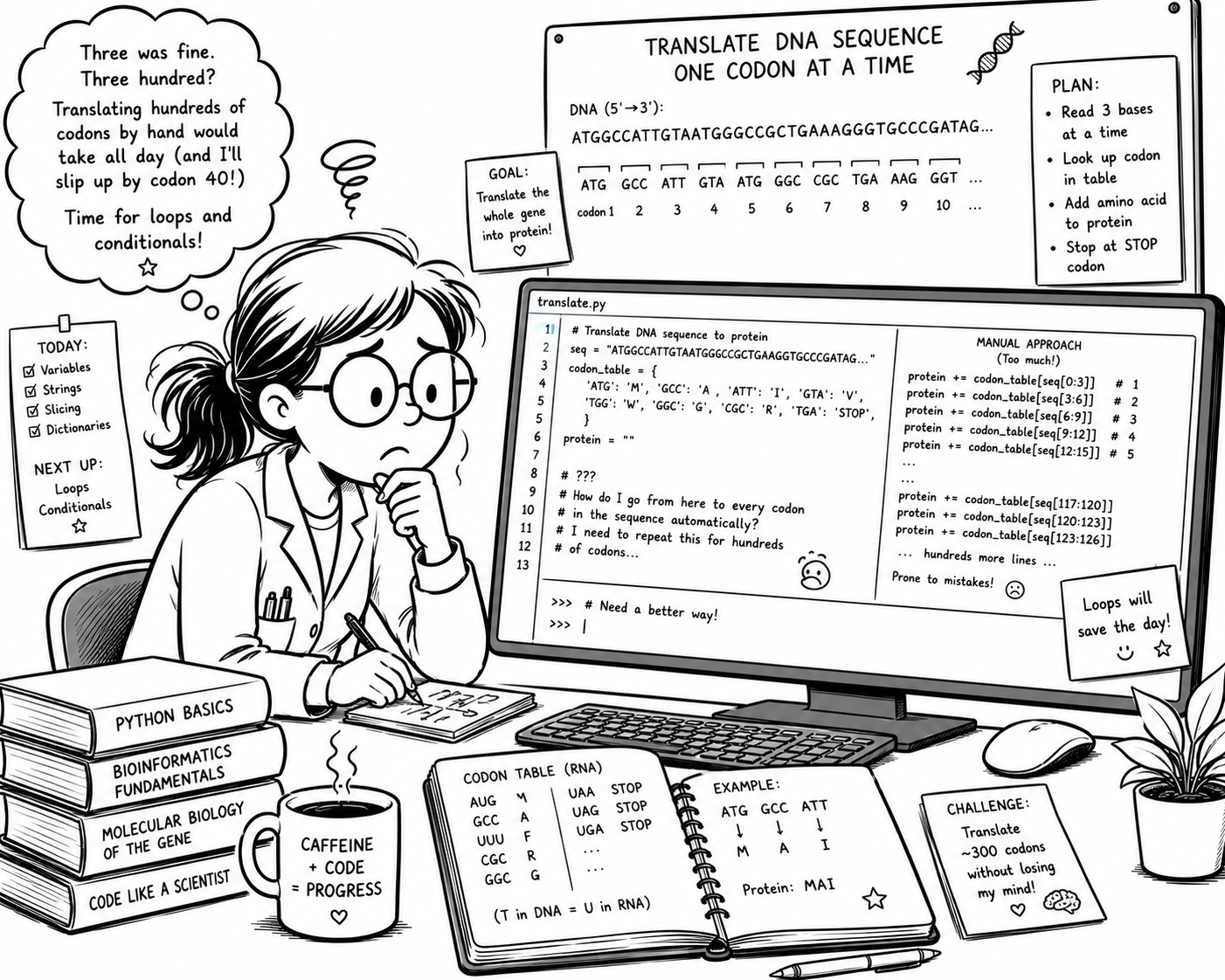
You translated three codons by writing a line for each. But a real gene has hundreds of codons — seq[0:3], seq[3:6], seq[6:9], seq[9:12]… by hand would take all day, and you'd slip up by codon 40.
We need a way to tell the computer: do this same step for every codon, on your own. That's what control flow gives us — and it turns a page of repetitive lines into a few that run themselves.
This Session — Control Flow
So far your programs ran straight down the page, once. Control flow lets a program repeat work and make decisions — the two ingredients of a program that runs itself. We'll meet them one at a time, then combine them to translate a gene.
Do the same step to every item — no copy-paste, no matter how long the sequence.
Let the program choose what to do — and decide for itself when to stop.
Put them together: walk through a viral genome and build its proteins, automatically.
Your First Loop — do this for every item
The loop runs once for every item in the list (viruses). Each time round, the loop variable (here virus) holds the next item. You pick its name.
The for loop line always ends with a :, with the loop's body indented underneath — indentation tells Python what's inside the loop. To indent, type four spaces before a line of code.
Run it — four items in, four lines out. Add a virus and run again.
A Running Total — the accumulator pattern
sum() totals a list of numbers in one step — you used it last session while calculating the mean. Here we'll use it to sum the size of some viral genomes.
Combine a for loop with an accumulator variable to sum numbers. Start at 0, then loop through the list, adding a number each time. A powerful pattern that works for more than just sums.
Both totals match — the loop is what sum() does for you.
Which Genome Is Bigger?
You just totalled those four numbers without really looking at them. Now look — the bacteriophage that infects bacteria dwarfs HIV. Ask most people and they'd pick the human virus:
RNA viruses (SARS-CoV-2, HIV, flu) copy themselves without proofreading, so errors cap their genomes at roughly 30 kb. To survive, they pack genes tightly — even overlapping them. Phage λ is a DNA virus: accurate copying lets it afford a far bigger genome. Nasty to humans ≠ big.
Building a New List — the transform pattern
Set up an accumulator that's a list instead of a number: start with [ ], take each item from the old list, change it, and .append() it to the new one.
Take each item → transform it → collect the results. Translating a gene is exactly this shape: take each codon, look up its amino acid, collect the protein. Hold onto this — we're heading there.
One list goes in, a new transformed list comes out — this is a pattern you'll see all the time in data analysis code.
Total incubation time, one step at a time
Two loops from today: transform each incubation period into whole minutes, then accumulate them into one grand total.
# Mean incubation period, in days
# 229E, SARS, SARS-CoV-2, MERS, Omicron
incubation_days = [3.0, 4.7, 4.9, 5.8, 3.4]
Step 1 — Start the loop
Which line starts a loop over every incubation period?
incubation_days = [3.0, 4.7, 4.9, 5.8, 3.4]
for days in incubation_daysfor days in incubation_days:for incubation_days in days:for days = incubation_days:Step 2 — Days to minutes
Inside the loop: which line turns one period into whole minutes? (1 day = 1440 minutes)
for days in incubation_days:
# ???minutes = days * 1440minutes = round(days / 1440)minutes = round(incubation_days * 1440)minutes = round(days * 1440)Step 3 — Collect the results
Still inside the loop: which line adds minutes to the new list?
incubation_minutes = []
for days in incubation_days:
    minutes = round(days * 1440)
# ???incubation_minutes = minutesincubation_minutes.append(minutes)incubation_minutes + minutesminutes.append(incubation_minutes)Step 4 — The running total
Where does total = 0 have to go?
for m in incubation_minutes:
    total = total + m
print(total)Before the loopInside the loopAfter the loopStep 5 — The grand total
What does the program print?
print(f"Total incubation time: {total} minutes")48963139221.8523.2Revision — Total Incubation Time
Try this after the lecture. Two loops, both from today — transform each incubation period into minutes, then accumulate them into one total.
Making a Decision
As we saw, RNA virus genomes are typically smaller than 30 kb, while DNA viruses can be bigger. Using if and comparison operators (> < == >=), we can compare our viral genome size to 30,000 bp to see if it's likely to be from an RNA virus.
Put a condition after if, end the line with :, and indent the body — just like a loop. Those lines run only when the condition evaluates to True; if it's False, Python skips them.
Run it — then increase the value of genome above 30,000 and watch the message vanish.
Two Ways to Go — if / else
When the if condition is False, the else block runs instead. Exactly one of the two branches runs, every time.
With if alone, a False condition just does nothing. else guarantees the program always says something — RNA or DNA virus?
λ phage is above 30 kb — so this time the else branch runs.
Many Branches — if / elif / else
Python checks the conditions top to bottom. The first one that's True wins — the rest are skipped — and else catches everything left over.
Remember: RNA viruses cap out around 30 kb. So a genome past that line almost has to be a DNA virus like phage λ. The branches mirror the biology.
SARS-CoV-2 sits just under the 30 kb ceiling. What about hepatitis B (3,182 bp)? Change the number, rerun, watch the category change.
Decisions Inside a Loop
Put an if inside the loop and bump an accumulator only when it's True. Now we can identify just the RNA viruses in our list by asking — which ones are under 30 kb?
It's the transform pattern with a bouncer at the door. The result? We .append() only the items that pass the test. The if makes a decision — the loop turns it into a flexible data-processing tool.
Three of the four — the question we asked at the start, answered automatically:
The Same Program, as a Flowchart
Five lines of code — but they don't run straight down. The colours show which line is which box on the right:
The loop runs the decision once per genome — and only the ones that pass get kept.
Loops Aren't Just for Lists
Great — but we lost the names of the viruses along the way. Using a dictionary would help, and we can loop through it — just like a list. To count viruses <30 kb, we use .values() to get the sizes from our dictionary.
To get only viruses <30 kb, we need a loop that checks the sizes (values) and stores the names (keys). With .items(), we can process both keys and values in one loop, using for key, value in dict.items():
With a dictionary, we keep our virus names and sizes paired together as keys and values — helpful for processing data without getting confused.
Ready to translate? One step at a time
To translate a sequence it must be a whole number of codons: its length divides exactly by 3. Loop through the dictionary, test each length, and collect the names of the viruses that pass.
sequences = {
    "SARS-CoV-2":  "ATTAAAGGTTTATACCTTCCCAGGTAACAA",
    "HIV-1":       "GGTCTCTCTGGTTAGACCAGATCT",
    "hepatitis B": "AATTCCACAACCTTCCACCA",
    "measles":     "ACCAAACAAAGTTGGGTA",
    "phage λ":     "GGGCGGCGACCTCGCG",
    "phiX174":     "GAGTTTTATCGCTTCCATGAC",
}Step 1 — The remainder
Warm-up: % gives the remainder after dividing. What is 20 % 3?
print(20 % 3)
626.670Step 2 — Loop through the dictionary
Which loop gives you each virus's name and its sequence?
for seq in sequences:for name, seq in sequences:for name, seq in sequences.items():for name, seq in sequences.values():Step 3 — Test the length
Which test is True only for a whole number of codons?
if len(seq) % 3 == 0:if len(seq) / 3 == 0:if len(seq) % 3 = 0:if seq % 3 == 0:Step 4 — Collect the names
Inside the if: which line keeps the name of a virus that passes?
ready = []
for name, seq in sequences.items():
    if len(seq) % 3 == 0:
# ???ready = nameready.append(seq)ready.append(sequences)ready.append(name)Step 5 — How many are ready?
After the loop, what is len(ready)?
6240Revision — Ready to Translate?
Try this after the lecture. You've been handed real viral fragments. Before translating them, identify which ones have a whole number of codons — loop through the dictionary, test each length, and collect the names of the viruses in a new list. (A real pipeline would translate the sequences next.)
A String Is a Sequence — Recap
From Session 2: seq[0] is the first base, seq[0:3] slices out a codon, len(seq) counts the bases. Same square brackets, same rule — the end of a slice is not included.
for base in seq: works exactly like for g in genomes: — but a string hands you one character at a time. Twelve bases in, twelve lines out.
Run it — the loop gives you every base, one by one:
Why We Need range()
for base in seq: hands you single letters — but a codon is three. And seq[::3] doesn't help: it grabs every third base on its own and throws the neighbours away.
range(start, stop, step) counts for you: range(0, 12, 3) gives 0, 3, 6, 9. Loop over positions instead of letters, and each i is where a codon starts — then seq[i:i+3] takes it plus its two neighbours.
Run it — the wrong way, then the numbers, then the payoff:
Carving Out Codons
A third number makes range jump: range(0, len, 3) gives 0, 3, 6, 9… Each i is the start of the next codon.
seq[i:i+3] grabs the codon at position i — the same slicing from Session 2. The - 2 stops us grabbing a half-codon off the end.
One sequence in — every codon out, in order:
Building the Protein
range gives the codon start · seq[i:i+3] carves it out · codon_table[codon] looks it up. Everything from Sessions 2 and 3, finally in one place.
Same pattern as the running total — but adding letters instead of numbers. Start empty, add one each time round. * is the stop codon: it's in the protein, and it shouldn't be. Next slide.
DNA in, protein out — your first real translator:
Stop and Go — break
The three stop codons live in a set: {"TAA", "TAG", "TGA"}. Then codon in stop_codons asks a yes/no question: is this codon one of the three? True or False, ready for an if.
break leaves the loop immediately — the remaining codons are never read, and the stray * never reaches the protein. That's MKRGV, not MKRGV* — exactly what a ribosome does when it lets go.
The same translator — but it now knows where the protein ends:
Two Proteins, One Sequence
One 60-base stretch of real phiX174 DNA:
gene D · scaffold protein
gene E · lysis enzyme
Same loop, run twice — only the 0 became a 1 — and a completely different protein falls out of the same letters. This is how phiX174 packs more genes than it has room for. Overlapping genes were discovered here, in the first genome ever sequenced (Sanger, 1977). Remember the 30 kb ceiling? This is the trick that beats it.
Two frames, two proteins
Everything from today, assembled: loop, range, slice, look up, accumulate. Build the translator step by step, then shift the frame.
# 60 real bases of phiX174, the first genome ever sequenced
seq = "TATGGTACGCTGGACTTTGTGGGATACCCTCGCTTTCCTGCTCCTGTTGAGTTTATTGCT"
codon_table = {"TTT": "F", "TTC": "F", ...}   # the full genetic code
frame = 0Step 1 — Codon positions
Warm-up: which numbers does range(0, 12, 3) give?
for i in range(0, 12, 3):
print(i)0, 3, 6, 90, 3, 6, 9, 123, 6, 9, 120, 1, 2, … 11Step 2 — Carve out the codon
Inside the loop: which slice gives the codon that starts at i?
for i in range(frame, len(seq) - 2, 3):
codon = ???seq[i:3]seq[i:i+3]seq[i+3]seq[i, i+3]Step 3 — Look it up
Which line gives the amino acid for codon?
codon_table(codon)codon_table[i]codon_table["codon"]codon_table[codon]Step 4 — Build the protein
protein starts as "". Which line adds each amino acid on?
protein = protein + codon_table[codon]protein = codon_table[codon]protein + codon_table[codon]protein.append(codon_table[codon])Step 5 — Shift the frame
Set frame = 1 and run it again. Which protein falls out?
YGTLDFVGYPRFPAPVEFIAMVRWTLWDTLAFLLLLSLLLATGGTACGCTGGACT…Revision — Two Frames, Two Proteins
Try this after the lecture. You've just seen genes D and E fall out of the same 60 bases. This is the code that does it — everything from today, assembled: loop, range, slice, look up, accumulate. Make both proteins appear.
Recap — Programs That Run Themselves
You arrived able to translate three codons by hand. You're leaving with a translator that reads a whole gene on its own — and knows where to stop.
- ✓for g in genomes: — repeat for every item
- ✓The accumulator — total = total + g
- ✓Build a new list with .append()
- ✓range(start, stop, step) — loop over positions
- ✓Comparisons are just True / False
- ✓if / elif / else — pick a branch
- ✓if inside a loop — count and filter
- ✓break — leave the loop the moment you’re done
- ✓A string loops too — one base at a time
- ✓seq[i:i+3] — carve out each codon
- ✓codon_table[codon] — look it up
- ✓Shift the frame — a different protein falls out
What's Next — Naming What You Built
Notice what you just did: to read the second frame you changed a number and ran the whole thing again. That works for two frames. It won't work for two hundred genes. Next time we give your translator a name — and then it costs one line to use.
- ▸Algorithms — plan the recipe before you write the code
- ▸Functions — write the translator once, call it anywhere
- ▸Errors — read a traceback and fix the bug yourself
- ▸Stop copy-pasting code — start naming it
You can now write a program that loops, decides, and stops on its own — the three things that separate a script from a calculation. Everything after this is about doing it more cleanly.
- →Re-open today’s Colab and rebuild the translator from scratch
- →Try frame = 2 — is there a third protein hiding in there?
- →Half an hour of practice beats re-watching the lecture
See you next week!